Clear responsibilities
Assign individual tasks, set due dates and follow progress. Use reusable checklists for familiar preparation work.
Explore Tasks
A daily workspace for small service teams
Turn the next client request into a task with a clear owner and due date. Keep staff hours and client details close as your team does the work.
Current trial and subscription details are shown at signup.
Start independently. Choose the tools your team needs.
Inside BrightHub
See assigned tasks, due dates and progress together. Open the full image to take a closer look.
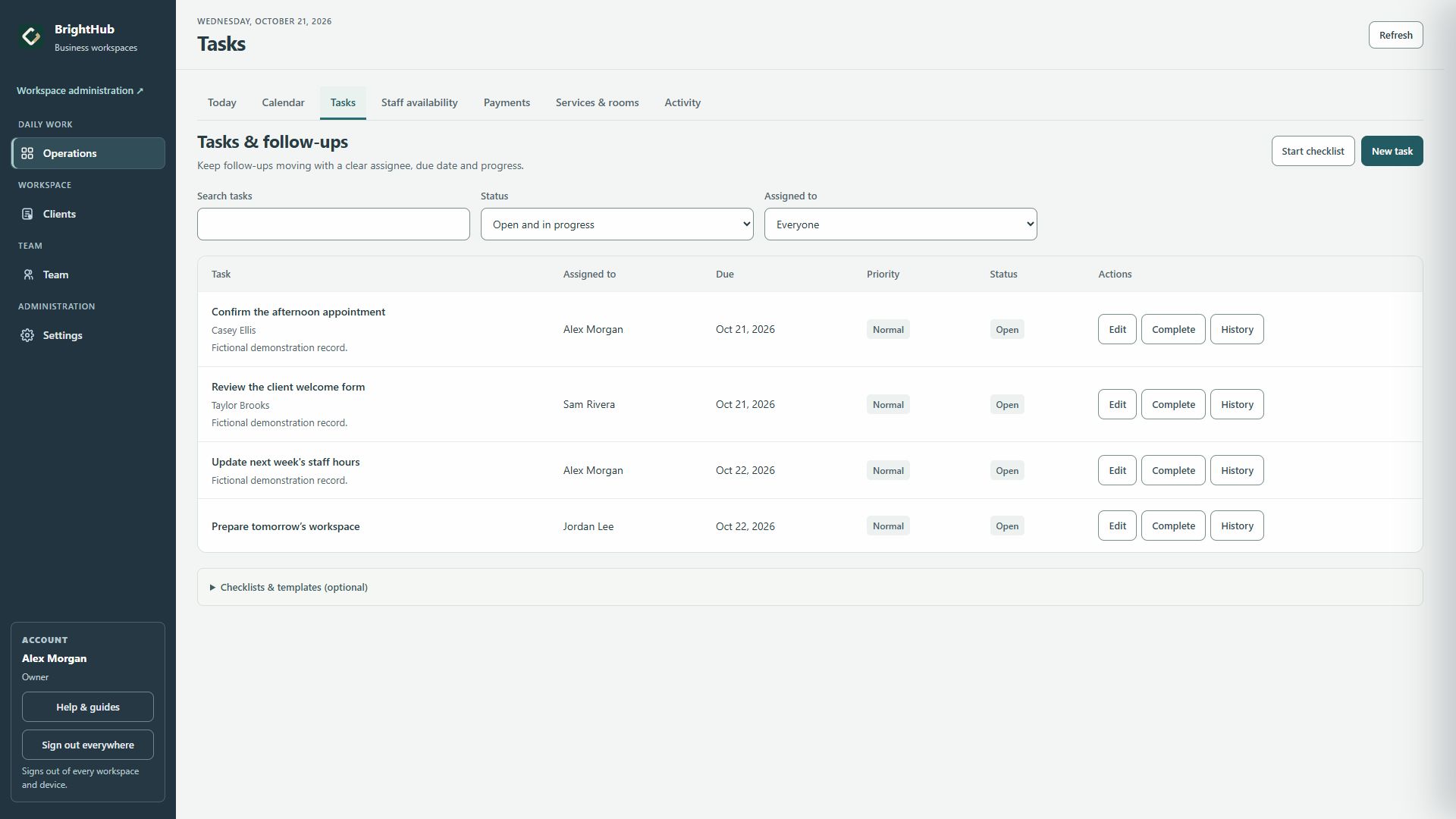
From request to follow-through
Here is one way a small service team can coordinate a client request. Your team chooses each action and sends client messages through its usual channel.
Keep the context
Casey wants a different appointment time and updated preparation details. Keep the relevant request in Casey’s client notes so the team has the context.
Client profile & notesName the next step
Create “Confirm Casey’s new appointment time,” assign it to Jordan and set a Thursday due date. The next action has an accountable person and a deadline.
Assigned task & due dateDo the work
Review saved staff availability before choosing the time. Once Casey agrees, update the appointment, send the preparation details and mark the task complete.
Staff availability, Calendar & TasksChoose the follow-up
If Casey needs a check-in after the visit, create a follow-up task with its own owner and date. Review the open work together as the week progresses.
A follow-up task created by your teamIllustrative workflow with fictional people. A task records work for your team; it does not send the client a message.
For the team's next review, use the weekly open-work review guide to decide what is overdue, what is waiting and who owns each next step.
Start small. Keep your context.
Start with tasks and staff hours, or use client tools alongside them. BrightHub supports service teams across different businesses.
Assign individual tasks, set due dates and follow progress. Use reusable checklists for familiar preparation work.
Explore TasksKeep saved working hours visible, including separate periods in the same day. Review proposed changes before approval.
Explore Staff availabilityKeep contacts, notes and your own tracking columns together. Add branded forms and appointments when they fit the work.
Explore Clients & FormsFree to use here · No signup needed
Use this quick check before a handoff or team review. It works for a salon, studio or any small service team with client work to coordinate.
Need a worked example and space to write your own handoff? Open the full client handoff guide and printable worksheet.
These checkmarks are a practice aid on this page. They stay here while the page is open and do not create workspace tasks.
Your first useful step
Create your workspace, add a task with an owner and due date, then invite a colleague when you are ready.
Start your workspaceCurrent trial and subscription details are shown at signup.
Start independently. Choose the tools your team needs.
Start with the tools that fit your work.
Choose one useful action for today.
Review progress and complete the work.
A few practical questions
BrightHub is for small service teams coordinating daily work. Salons, spas, studios and other service businesses can choose the tools that fit. You can start with tasks and staff hours.
Yes. The public product tour lets you explore fictional examples of Clients, Calendar, Staff availability, Forms, Tasks and Payments. This page’s checklist is also free to use.
Create an assigned task with a due date, review its progress and mark it complete after the work is done. Your team sends the client message through its usual channel and creates any further follow-up tasks.
See the current trial length and monthly subscription offer at signup. You choose whether to subscribe.
A subscription covers your business workspace and its invited team. Read the terms.